

WebSocket and Server-Sent Events
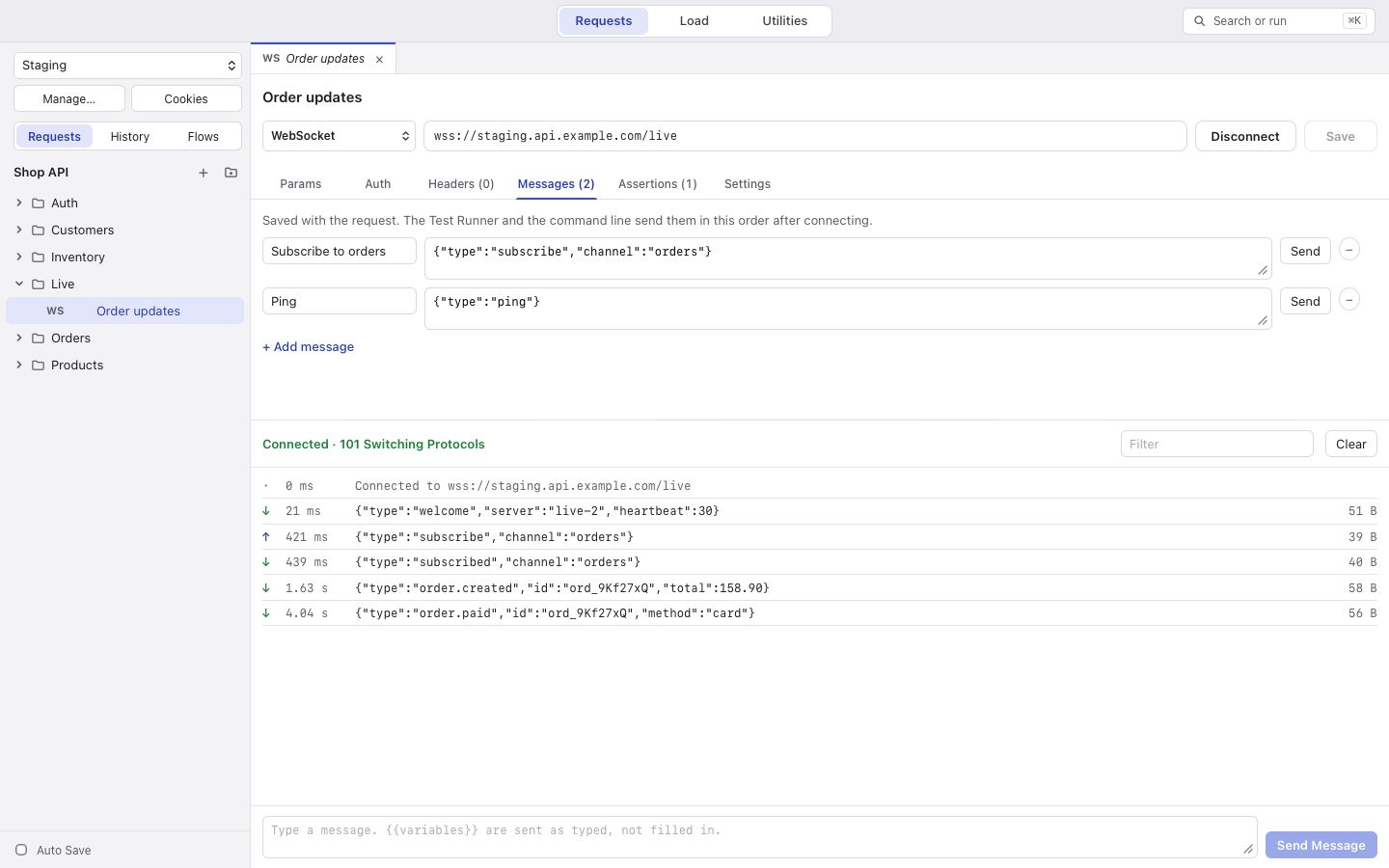
In the method picker, under Streams, choose WebSocket (ws:// or wss://) or Server-Sent Events.
WebSocket
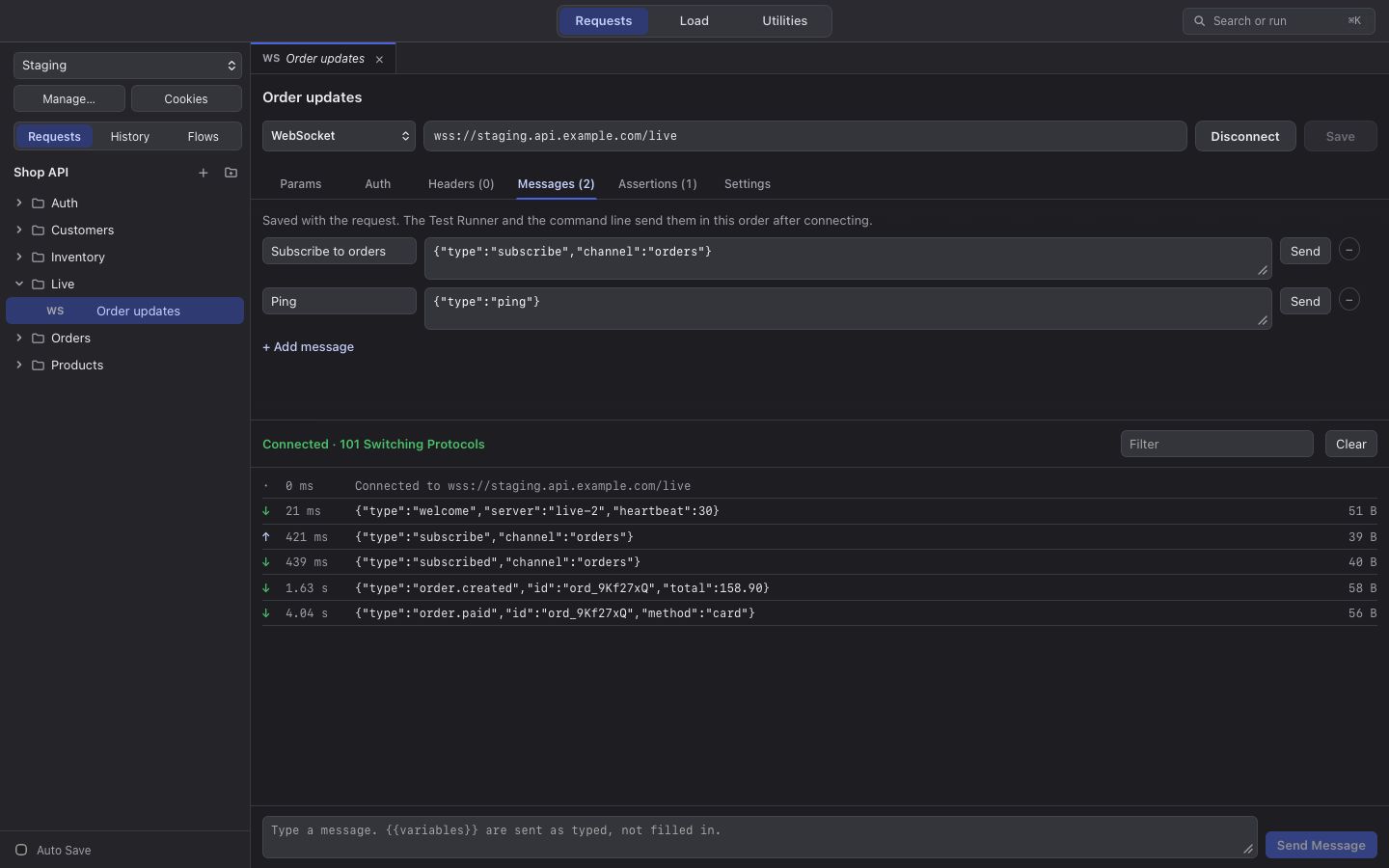
Section titled “WebSocket”Connect opens the connection and Disconnect closes it. The live log shows what was sent and received, with a
filter and Clear. Type a message in the box to send it as typed ({{variables}} are not filled in there). Under
Messages, keep messages you send often, each with its own Send button.
Server-Sent Events
Section titled “Server-Sent Events”Server-Sent Events go one way: korAPI listens and logs each event with its event name. It does not reconnect by
itself.
Checks
Section titled “Checks”A Message check passes when at least one received message matches, by a JSON path into it or by its text. Other checks apply to the handshake.
In the Test Runner, korAPI connects, sends the saved messages in order, and listens for 3 seconds (Settings > Listen for) or until the server closes, then runs the checks. Scripts do not run for streams.
The log keeps up to 10,000 messages. Binary messages are shown as hex.